

The High-Level Problem
By 2023, Keka had grown rapidly 10X times from when it started. However, the marketplace experience was fragmented—both in the product and on the website. This resulted in low visibility for partners and a subpar experience for end-users looking to explore and integrate apps into their workflow.
Competitors like Rippling, Gusto, GreytHR, and Zoho offer a well-structured marketplace experience. To stay competitive and stand out, Keka needed to build a robust marketplace tailored to its key users—Global Admins, Module Admins, Employees, and Partners. A dedicated marketplace for an HRMS not only enhances the user experience but also unlocks new business opportunities and drives revenue growth.
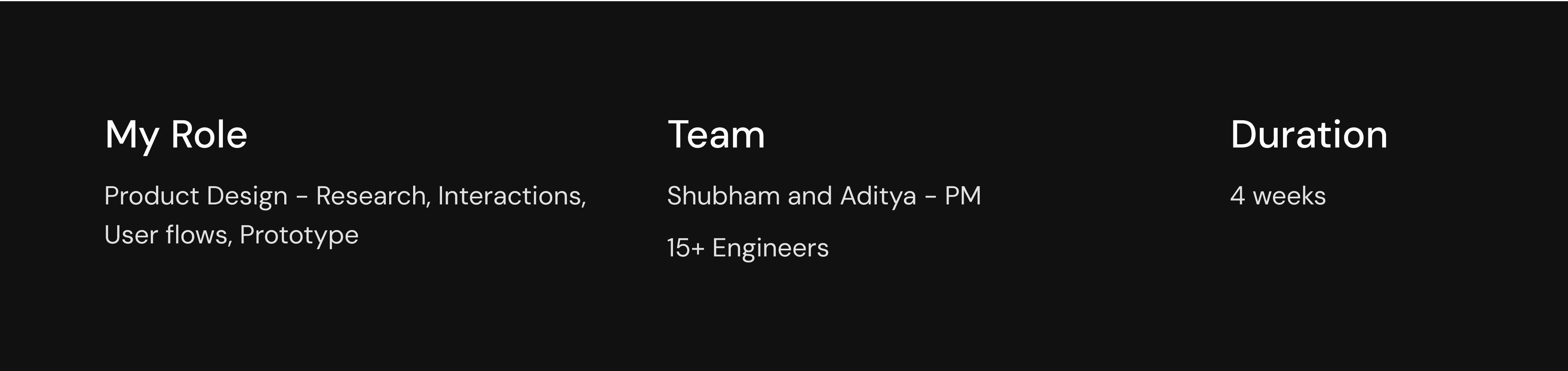
Marketplace Impact
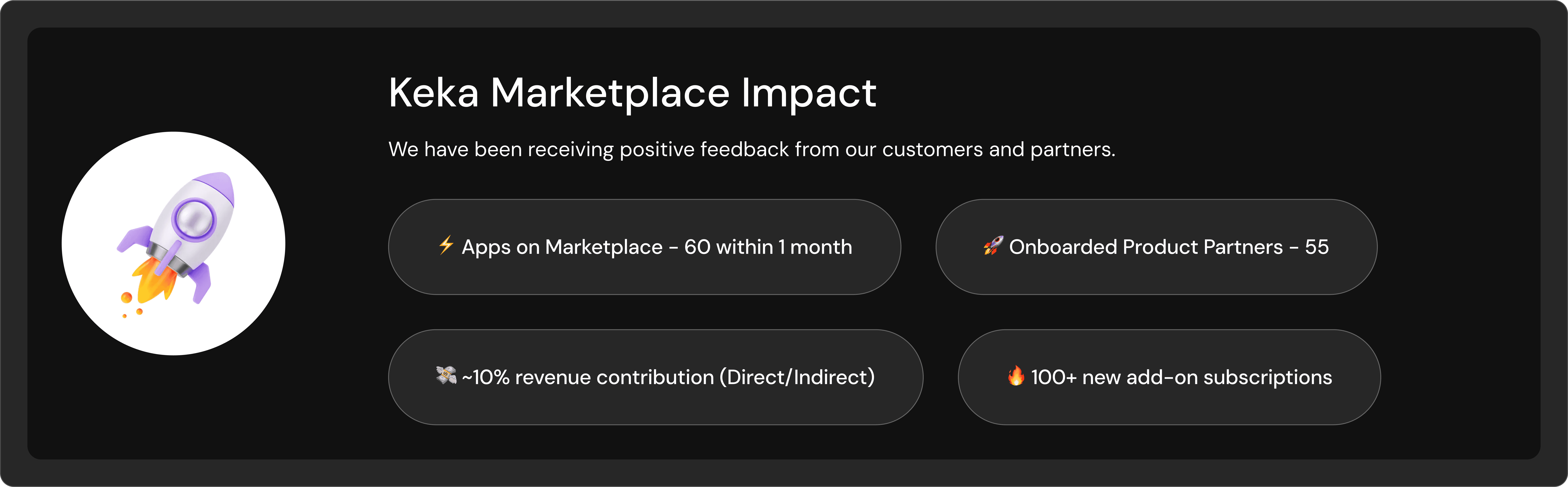
The Backbone of Keka Marketplace
By 2022, Keka had a basic marketplace experience that did not fully meet the needs of customers and partners. To bridge this gap, the focus is on improving integration capabilities, ensuring a seamless experience for both. This, in turn, opens opportunities to drive revenue through referrals and sponsorships. Enhancing usability and support will further boost CSAT, making integrations more efficient and valuable.
The Marketplace is primarily built to address the needs of our customers and partners while also generating revenue. Despite not having a dedicated platform or marketing efforts, we have received 900+ partnership requests, highlighting strong demand and growth potential.
Digging deep 🔍
Analysing the current product experience
The first step we took was analyzing the entire product experience for both global admins and employees to identify areas for improvement.
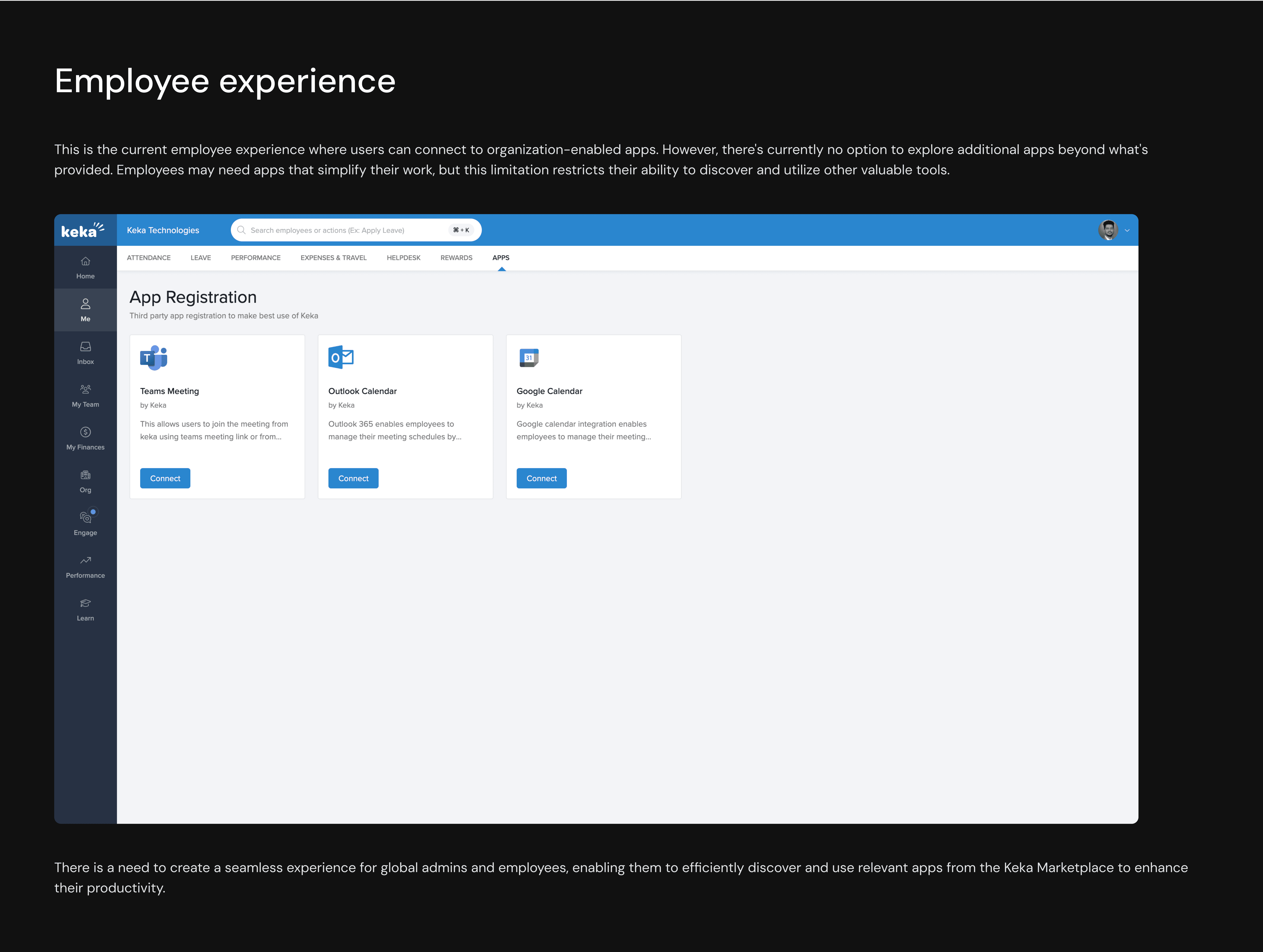
After analysing our current experience, we gained interesting insights. We did this exercise along with the product for a week.
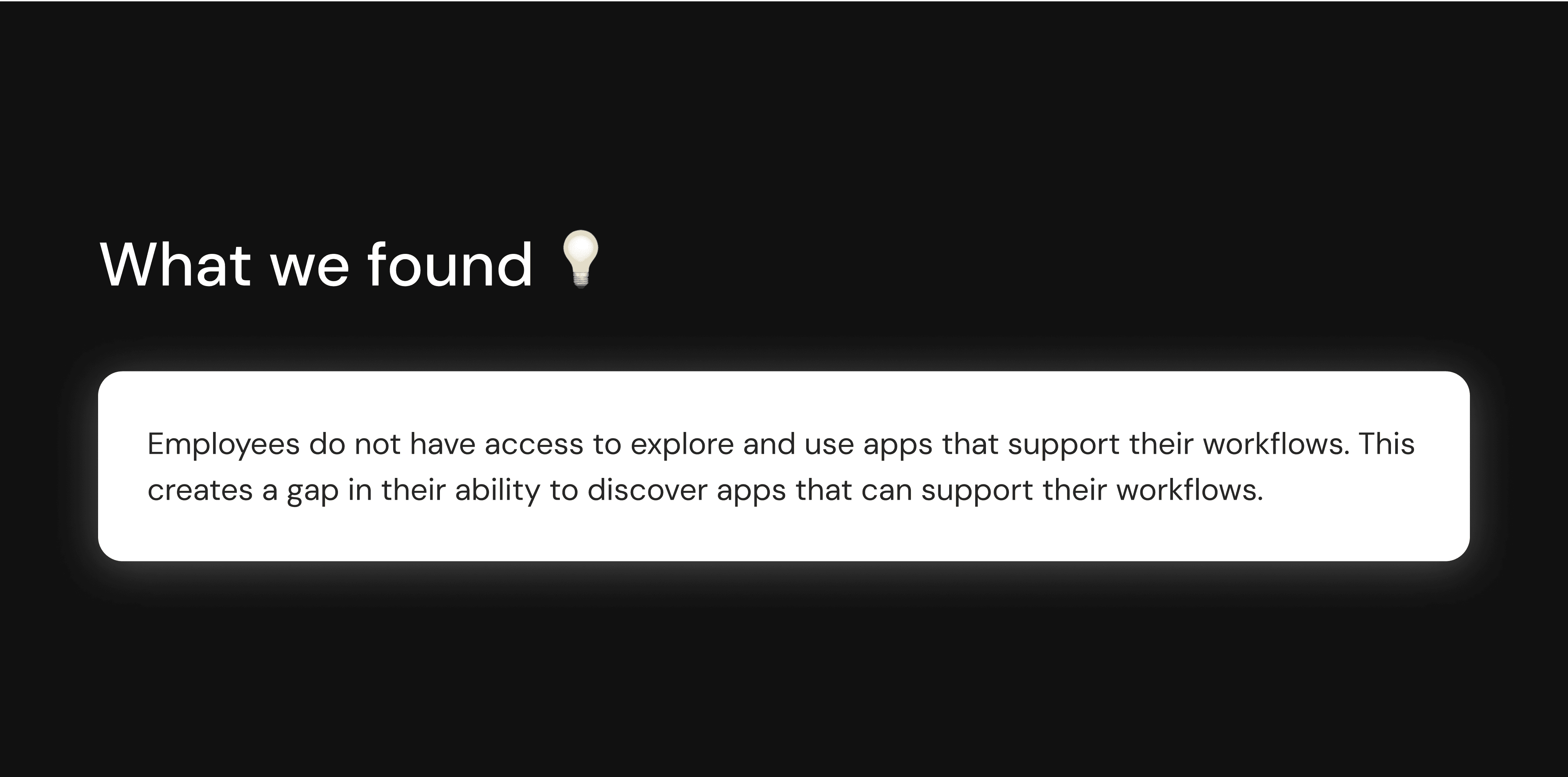
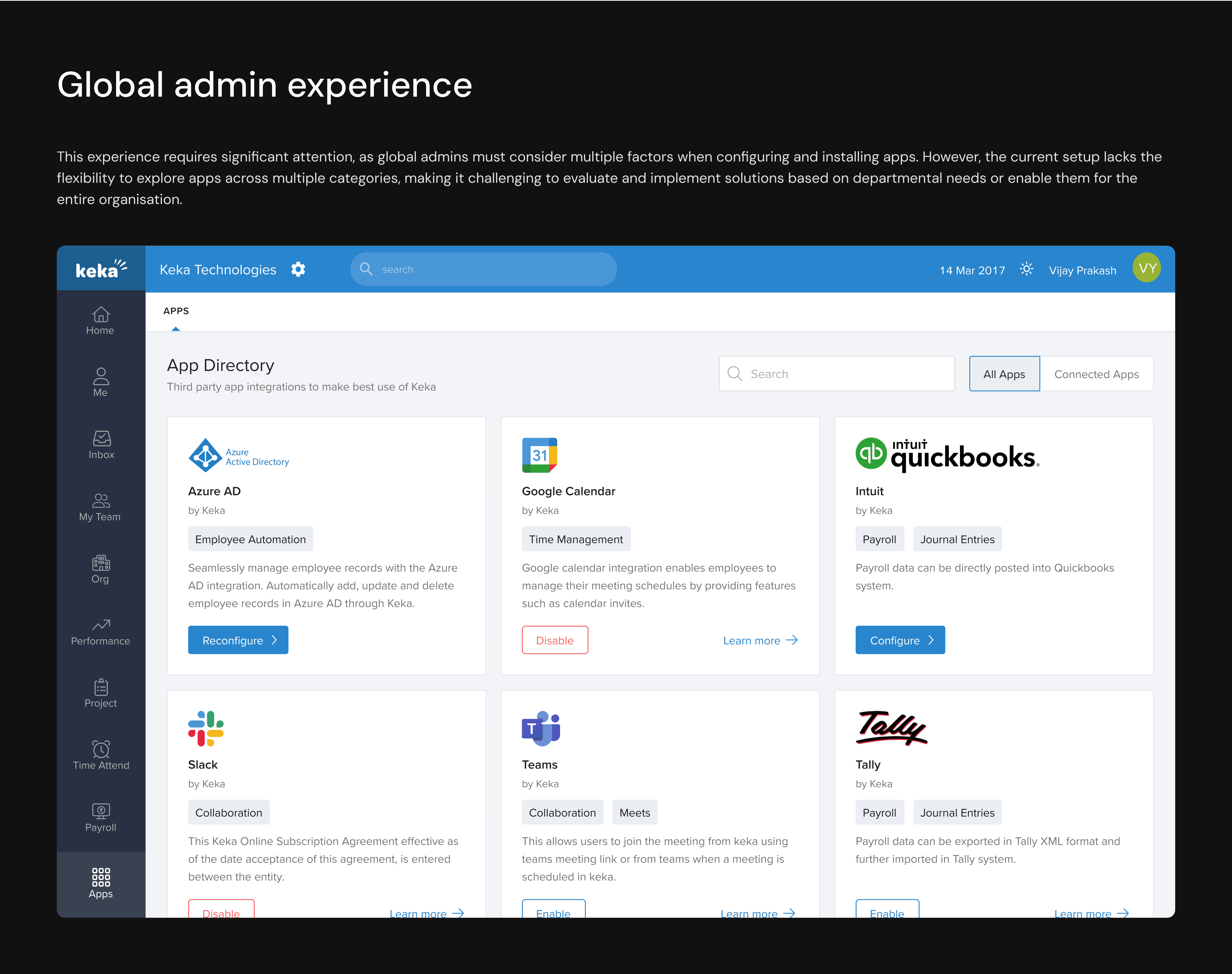
In the marketplace experience, the admin plays a crucial role in deciding which apps to install and configure for the organization, allowing employees to integrate them into their workspaces. However, the current experience has several shortcomings.
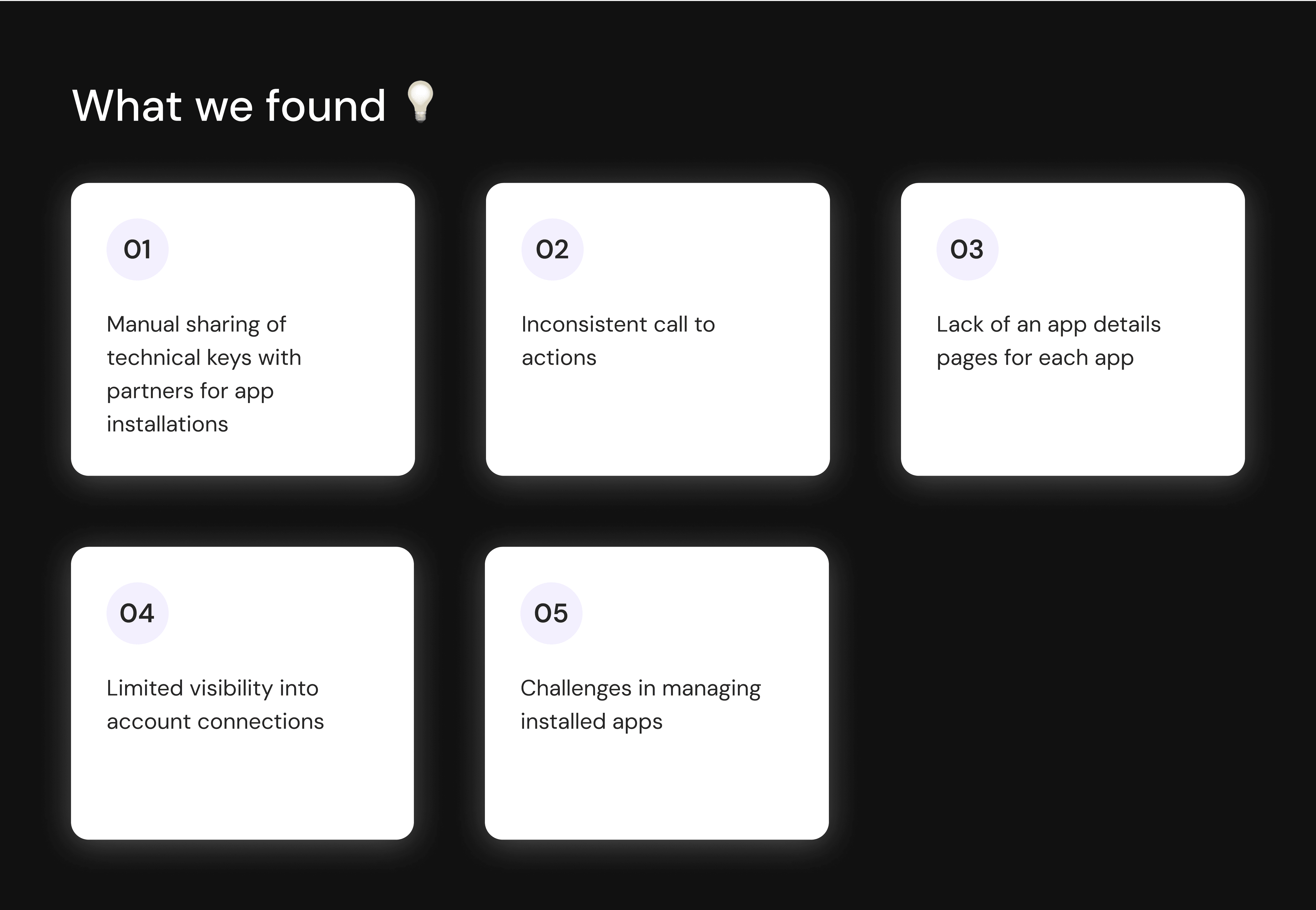
These issues create friction, making it difficult for admins to make informed decisions and efficiently manage apps for their organisation.
Analysing the competitor products
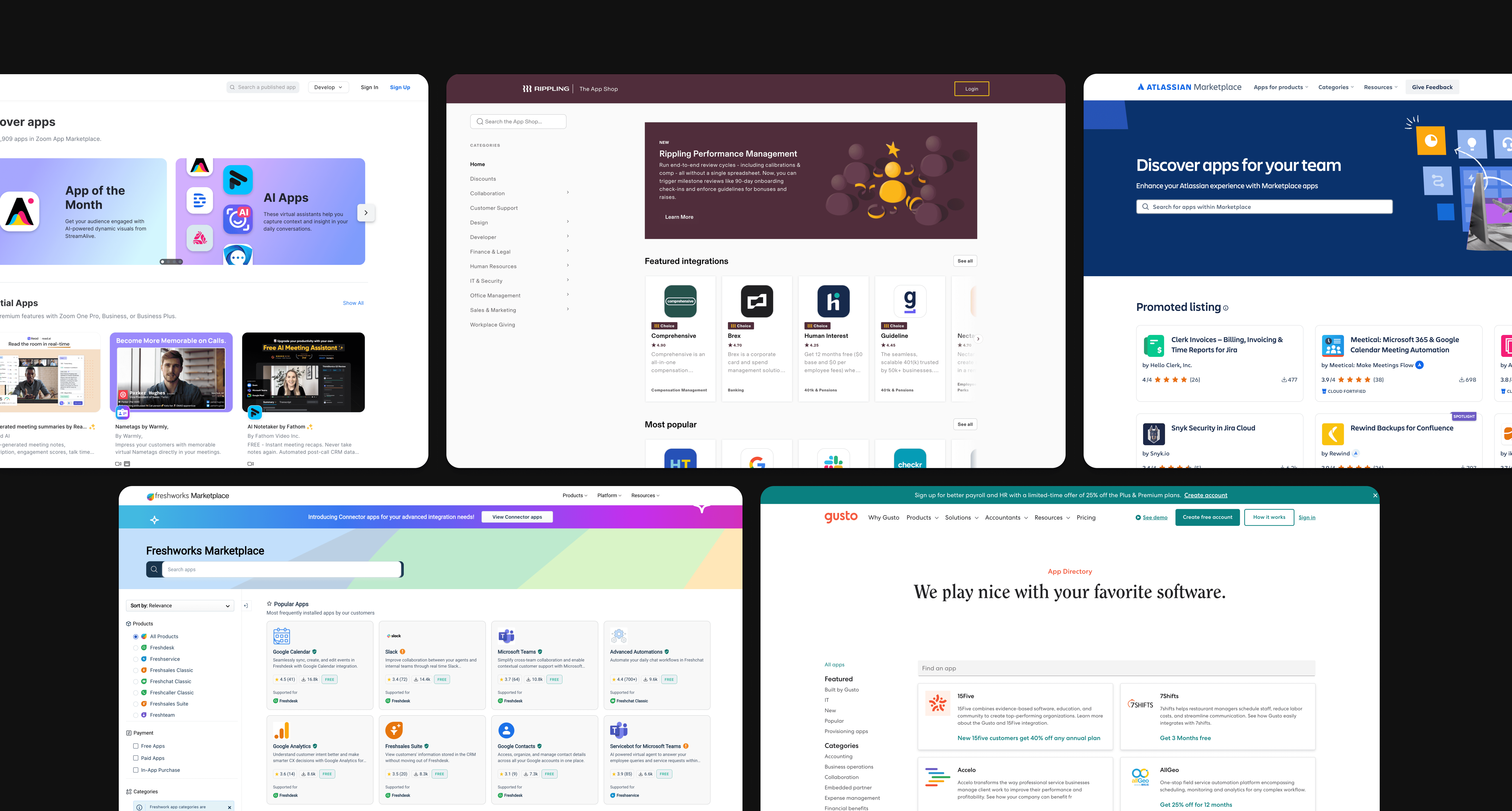
Our next step was identifying competitors and conducting an in-depth analysis of their product experience. This helped us uncover usability patterns, strengths, and gaps, allowing us to refine our approach based on research-driven insights.
We have explored Fresh works, Atlassian, Zoho, Zoom, Rippling, and Gusto to analyse their user experience. This exercise provided us with valuable insights that will help us refine and enhance our approach.
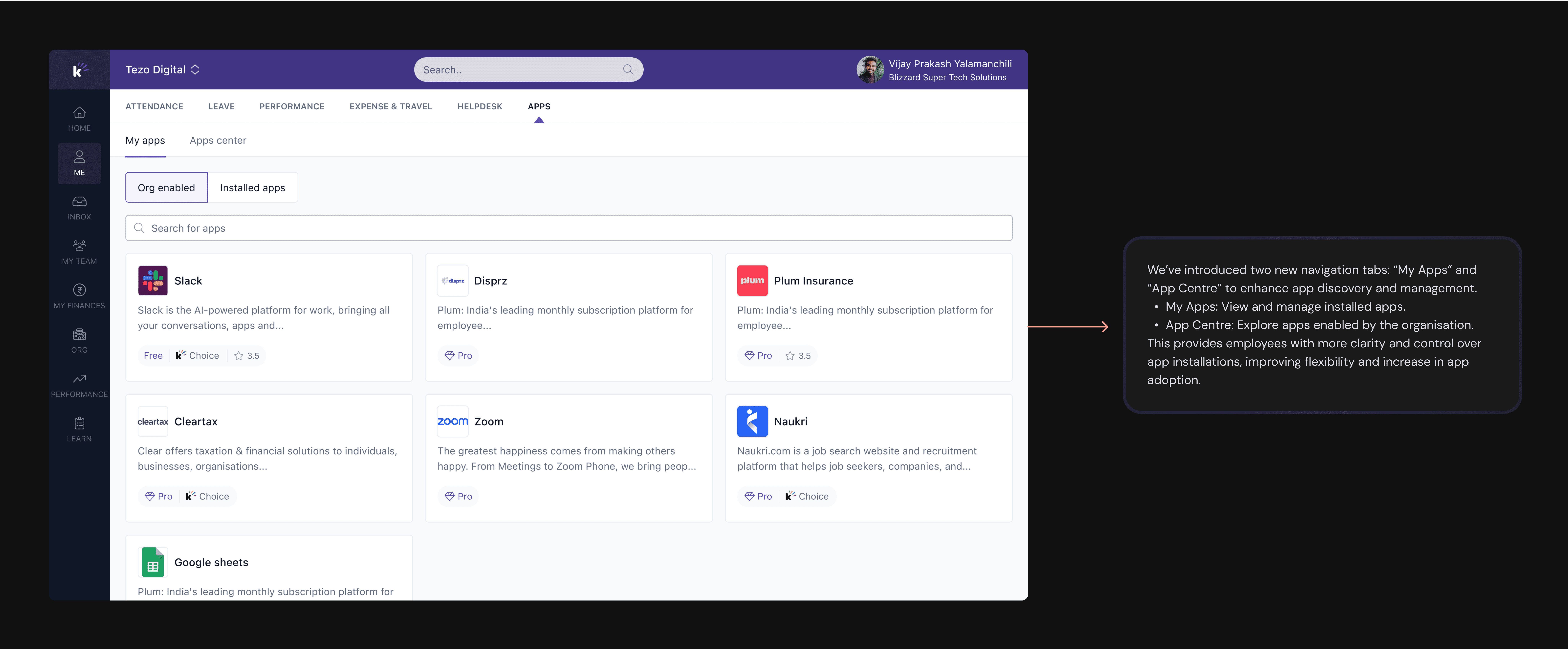
From our exercises so far, the next step we have done is start defining the experiences of an Employee (Individual Contributor) and a Global Admin.
We have designed this experience by doing multiple reviews with all the stakeholders, peers and leaders. And come up with the solution.
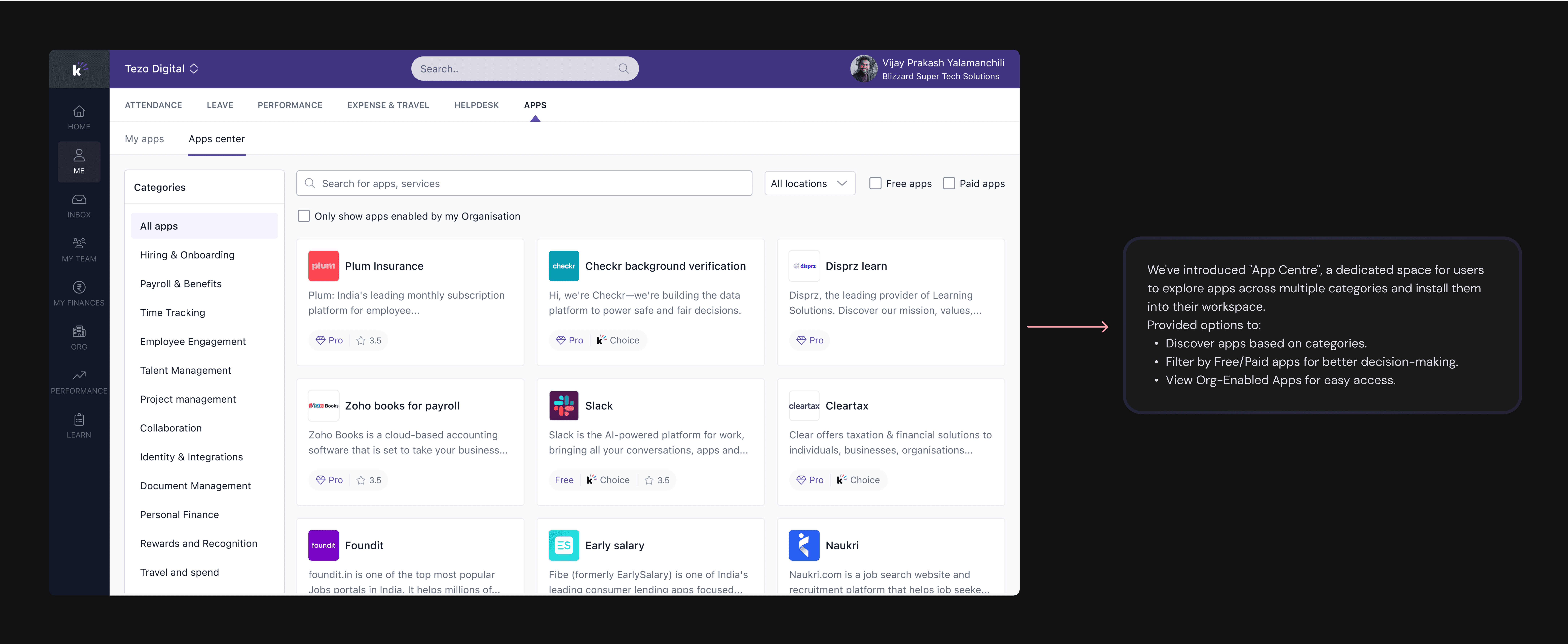
Requesting an app
We've introduced an option for users to explore apps and request access if an app is not enabled by their organisation.
Since app needs vary by role, users can now send a request to get an app installed.
This ensures better flexibility while maintaining controlled access within the organization.
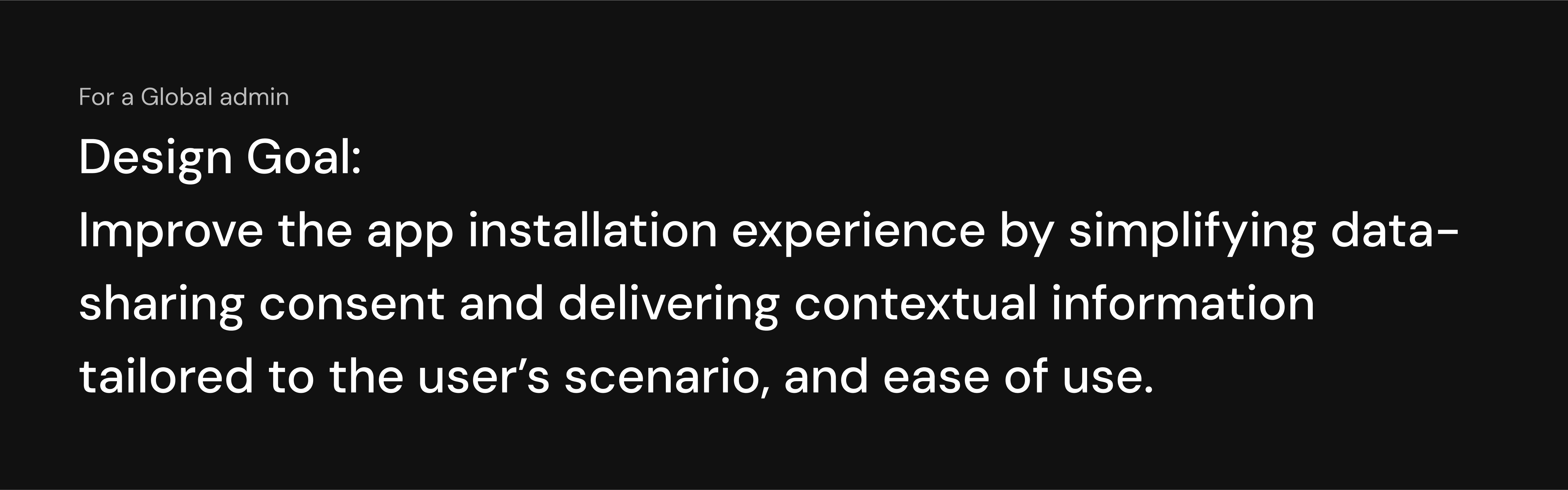
Next, I will be covering the admin experience, focusing on simplifying their user journey. This includes making the app installation process more intuitive, streamlining data-sharing consent, and providing relevant contextual information to support their decisions.
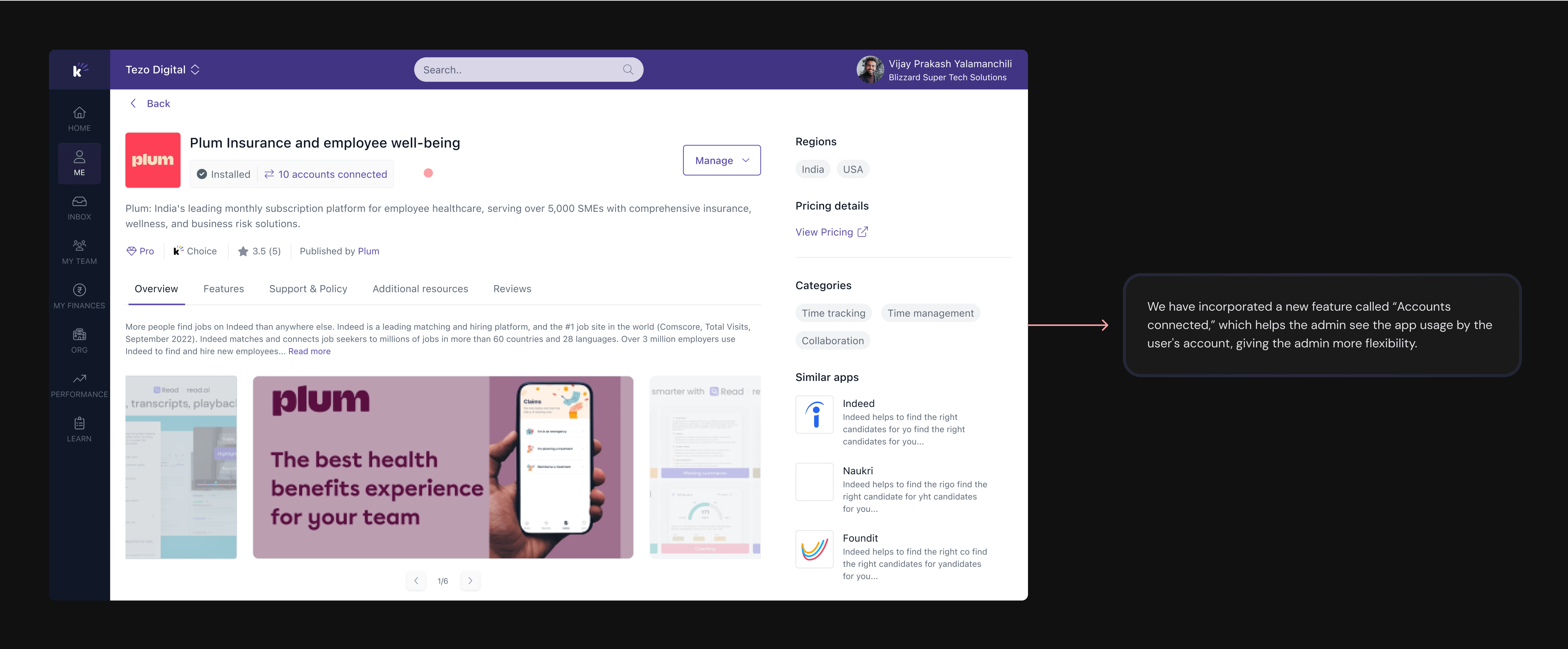
Introducing App details
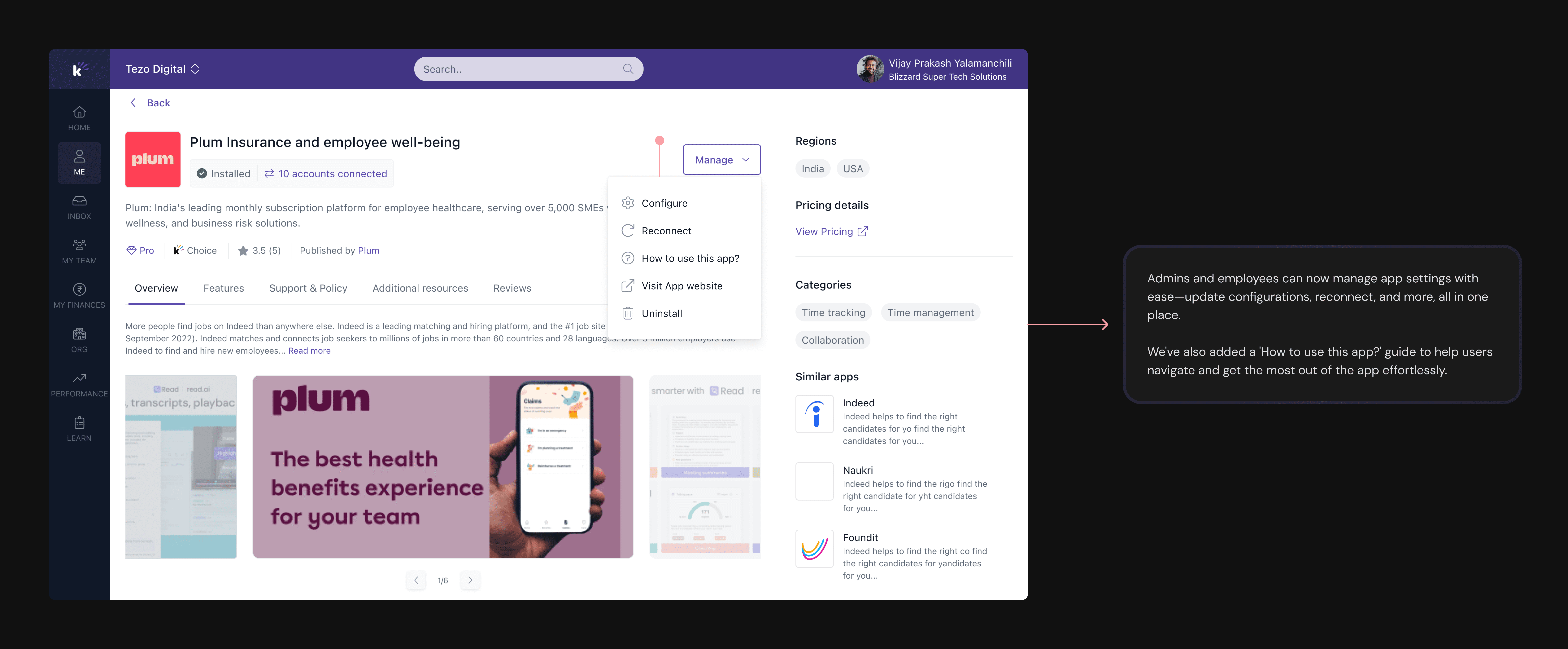
We've designed this app details experience to enhance the end-user journey, enabling them to make decisions faster. The existing design didn't allow users to explore the app features more and take action. To get it installed, the user has to first connect with Keka support and upon discussion. It will go forward and discussion starts with the Partner app support team, and then the app will be installed in users' workspace, involving a lot of intervention of teams.
Now, we have streamlined the app installation process by introducing the necessary actions.
Installing an App
Previously to install an app, User has to share the necessary details such as Client ID, Client Secret and other details with the app's partner and these details will be leveraged in the partner app's code environment when it is done the partner will be sending a generated token from their side to the user. And this token must be added while installing an app then app will be installed in user's workspace.
Now, the whole new app installation experience has simplified the entire process for users.
Marketplace Impact
Thanks for watching 😀

